AI Website Builders for Local Business Needs

Compare AI website builders through the lenses local service businesses actually need — booking, CRM, and local SEO readiness — not template counts.

Most website builder comparisons count templates and fonts. A salon, clinic, studio, or repair shop needs to know three things instead: can customers book, do their details go somewhere useful, and will people nearby find the site?
Quick answer: InMinutes is the best AI website builder for local businesses that need booking, a customer list, and local SEO foundations in one place — booking is free on every plan, LocalBusiness structured data is added automatically, and the Audience CRM is on Pro. Wix is the strongest alternative when you want lots of add-on apps, Durable is the quickest one-page option, and Squarespace works for brands that can live with a separate scheduling subscription.

Which needs should a local business judge an AI website builder on?
A local business should judge an AI website builder for local businesses on the three jobs the site does every day:
-
Booking — can customers book or request a time without calling?
-
CRM — are customer details, messages, and bookings in one list you can follow up from?
-
Local SEO readiness — LocalBusiness structured data, consistent name/address/phone, service pages, sitemap, Search Console
Everything else — templates, animations, font choices — is secondary for local service businesses.
Booking, CRM, and local SEO side by side
| Builder | Booking | CRM | Local SEO readiness | Best for |
|---|---|---|---|---|
 InMinutes InMinutes | Free on every plan; deposits on Pro | Inbox + Audience CRM and campaigns on Pro | Automatic LocalBusiness data, meta, sitemap, Search Console | Service businesses that want all three |
 Wix Wix | Wix Bookings from Core ($29.77/mo annual) | Contacts + automations | Strong with manual setup | App-heavy businesses |
 Durable Durable | From Launch ($22/mo annual) | Built-in CRM + invoices | Basic | Solo pros, one page |
 Squarespace Squarespace | Acuity, separate subscription | Light contact tools | Good with manual setup | Image-led brands |
 Hostinger Hostinger | Booking feature available | Light | Basic | Lowest bill |
 GoDaddy Airo GoDaddy Airo | Add-on | Light | Basic | Existing GoDaddy customers |
How does each builder handle booking?
InMinutes handles booking natively on every plan, including Free. The AI builds your booking flow from your real services, durations, and opening hours, and sends appointment reminders. On Pro you can take a card deposit at booking time to cut no-shows.
-
Wix: capable booking from the Core plan
-
Durable: booking from the Launch plan
-
Squarespace: needs Acuity Scheduling, billed on top of the website plan
-
Hostinger / GoDaddy: available, with fewer options
How does each builder handle CRM?
InMinutes keeps contact-form messages, bookings, and customers in one dashboard, and on Pro the Audience CRM lets you segment customers and send email campaigns — "it's been six months since your last service" is a one-prompt campaign.
-
Wix and Durable include contact management; Durable bundles invoicing
-
Squarespace, Hostinger, GoDaddy are lighter and usually paired with a separate CRM
How does each builder handle local SEO?
InMinutes adds the technical local SEO layer for you at publish: LocalBusiness structured data, meta titles and descriptions, favicon and social images, plus a sitemap and Search Console connection on Starter and up. Your Google Business details can seed the site when it's built, which helps keep name, address, and phone consistent.
-
Wix and Squarespace can do all of this with manual setup
-
Durable, Hostinger, GoDaddy cover basics; one-page sites limit how many services and areas you can target
For SEO-friendly websites, structure matters as much as tags: one page per service and clear location details give Google — and AI assistants — something specific to cite.
The builders, in brief
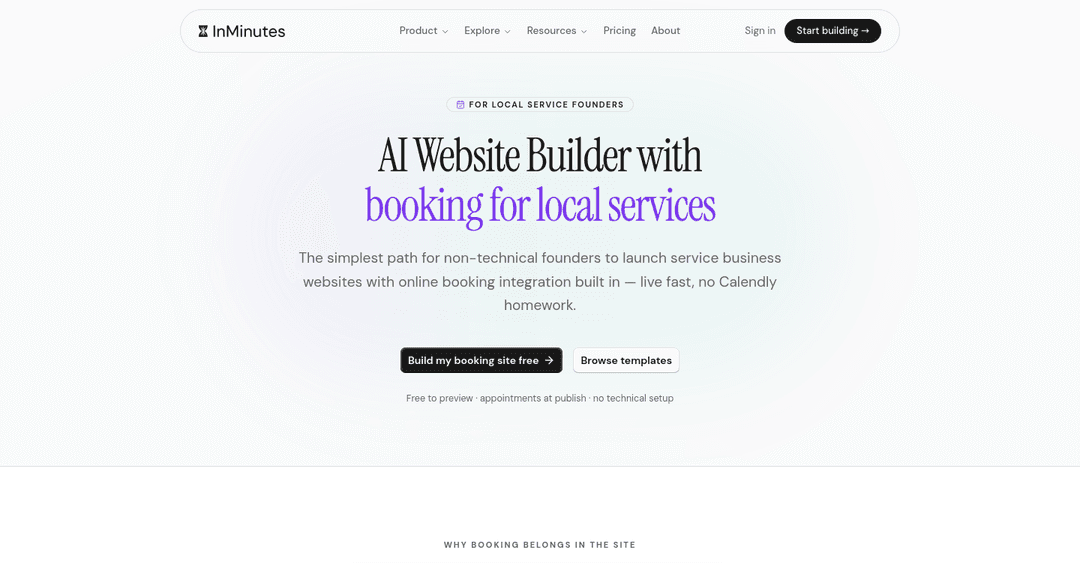
InMinutes — best for booking + CRM + local SEO in one place
-
Weakness: not a POS or dispatch system; restaurants with table service or multi-crew trades may still need their industry software
-
Choose InMinutes if: you want AI-powered web design that ships the operational basics on day one. Free to draft, Starter $19/mo to publish, Pro $49/mo for CRM, campaigns, store, and invoicing
Build your local business site free →
Wix — best for add-on apps
- Weakness: more setup, more decisions. See InMinutes vs Wix
Durable — fastest one page
- Weakness: limited room for local SEO pages. See InMinutes vs Durable
Squarespace — best for polished visuals
- Weakness: booking is an extra subscription. See InMinutes vs Squarespace
Hostinger — lowest cost
- Weakness: DIY assembly. See InMinutes vs Hostinger
Which local business should choose which builder?
-
Salon, clinic, studio, tutor, or repair shop that books appointments: InMinutes
-
Business that wants a big app marketplace: Wix
-
One-person business needing a page today: Durable
-
Image-first brand with an existing scheduler: Squarespace
-
Lowest possible monthly cost: Hostinger
Related reading
The bottom line
A small business website builder for local businesses should be judged on booking, CRM, and local SEO — the three things that turn nearby searches into customers. InMinutes is the only option here that includes all three without a separate subscription.
FAQ

Guides9 min read

Guides9 min read

Guides10 min read

Guides11 min read
Ready?
Your site, live in 2 minutes with InMinutes.
No agency. No waiting. Flat monthly fee.
Start for free →