How to Create a Business Website in Minutes Without Coding

Learn how to create a business website without coding. InMinutes helps businesses generate, edit, and publish websites in minutes using AI.
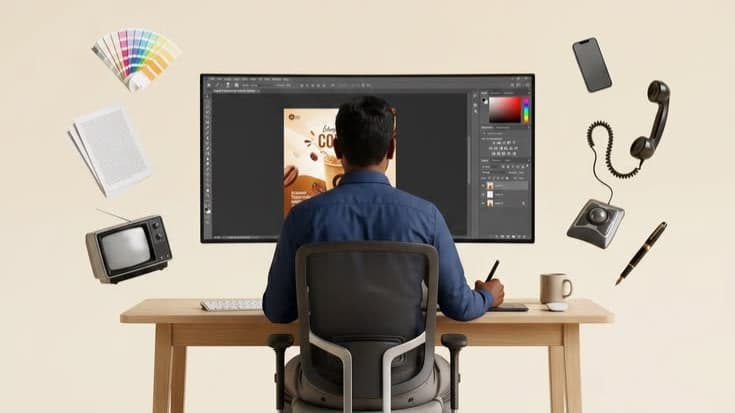
Creating a business website used to mean hiring a developer, buying hosting, choosing a template, writing content, and spending days or weeks making edits.
Now, AI makes the process much faster.
With InMinutes, you can create a business website without coding by entering your business details and letting AI generate the website for you.
You do not need to design pages manually, write every section yourself, or understand technical setup.
Can you create a website without coding?
Yes. You can create a website without coding by using an AI website builder like InMinutes.
Instead of writing HTML, CSS, or JavaScript, you describe your business. The AI creates the website structure, design, text, and sections based on your information.
This is useful for business owners, creators, freelancers, agencies, and startups that need a website quickly.
What you need before creating your website
Before starting, prepare these details:
-
Business name
-
Business category
-
City or service area
-
Short description
-
Services or products
-
Opening hours
-
Phone number
-
Email address
-
Social links
-
Images or logo
-
Preferred style or tone
The more accurate your information is, the better your website will be.
Step 1: Enter your business details
Start by adding basic information about your business.
For example:
Business name: FreshCut Studio
Category: Barbershop
City: Los Angeles
Services: Haircuts, beard trim, skin fade, styling
Contact: Phone number, Instagram, WhatsApp
Style: Modern, clean, premium
InMinutes uses this information to understand what kind of website your business needs.
Step 2: Let AI generate your website
After you enter the details, InMinutes generates a complete website.
The AI can create:
-
Homepage layout
-
Business introduction
-
Service sections
-
Call-to-action buttons
-
Contact sections
-
Opening hours
-
Location section
-
Mobile-friendly layout
-
Website copy
-
Visual structure
Instead of editing a blank template, you start with a ready website.
Step 3: Preview your website
Once the website is generated, preview it.
Check:
-
Is the business name correct?
-
Are the services accurate?
-
Is the tone right?
-
Are the contact details correct?
-
Does the website look good on mobile?
-
Is the call to action clear?
A good business website should make it easy for visitors to understand what you offer and how to contact you.
Step 4: Edit your website with AI chat
If you want changes, you can ask InMinutes in plain English.
For example:
-
“Make the design more modern.”
-
“Add a testimonials section.”
-
“Change the headline to sound more premium.”
-
“Add a booking section.”
-
“Add WhatsApp contact button.”
-
“Rewrite the services section.”
-
“Make it better for a restaurant.”
-
“Add SEO-friendly copy.”
This is easier than manually editing every block.
Step 5: Publish your website live
After you are happy with the result, publish the website.
InMinutes lets you deploy your website to a live URL, so customers can visit it online.
This means you can go from no website to a live website in minutes.
Step 6: Keep improving your website
A website should not stay the same forever.
You can update it when you:
-
Add new services
-
Change prices
-
Launch promotions
-
Add new photos
-
Update opening hours
-
Add booking
-
Start selling online
-
Improve SEO
With InMinutes, you can keep editing through AI chat instead of rebuilding everything manually.
Why a no-code website is useful for businesses
A no-code website saves time and cost.
It is useful when:
-
You need to launch quickly
-
You do not have a developer
-
You do not want to learn design tools
-
You need a simple but professional website
-
You want to test a business idea
-
You want to create websites for clients
-
You want to update the site often
For many small businesses, speed matters more than a complicated custom build.
What features should a business website have?
A strong business website should include:
| Website Feature | Why It Matters |
|---|---|
| Clear headline | Explains what the business does |
| Services/products | Shows what customers can buy |
| Contact buttons | Makes it easy to reach you |
| Mobile design | Most visitors browse on phones |
| Location | Helps local customers find you |
| Booking | Helps service businesses get appointments |
| Store | Helps businesses sell online |
| SEO content | Helps search engines understand the site |
| Analytics | Helps track performance |
FAQ
Can I create a business website without coding?
Yes. With InMinutes, you can create a business website without coding by entering your business details and letting AI generate the website.
How long does it take to create a website with InMinutes?
InMinutes is designed to help users generate and publish websites in minutes.
Do I need design experience?
No. InMinutes generates the layout, copy, and structure for you.
Can I edit the website after it is created?
Yes. You can edit your website by chatting with AI and describing the changes you want.
Can I publish the website online?
Yes. InMinutes allows you to publish your website to a live URL.
Can I add booking to my website?
Yes. InMinutes supports appointment and booking features.
Can I sell products online?
Yes. InMinutes supports online store features through the AI Store on the Business plan.
Conclusion
You do not need coding skills to create a business website anymore.
With InMinutes, you can enter your business details, generate a complete website with AI, edit it through chat, and publish it online in minutes.
Start with your business name and let InMinutes build the first version of your website.
General9 min read
General7 min read

General3 min read
General3 min read
Ready?
Your site, live in 2 minutes with InMinutes.
No agency. No waiting. Flat monthly fee.
Start for free →